Sell the lot
faster.
Eight services for car dealerships, from walkaround videos and your own iPhone app to tools that keep your team and your lot moving. Each one is shown working, so you can click in and try it.
Pick one to try
Start with one service or bundle them. They're built to work together.
One loop, five steps
Each service feeds the next one. Click any step to open its demo.
Auto Giant USA, Indianapolis and Fishers
The examples on this page come from my work with Auto Giant USA:
- Walkaround videos filmed on their lot every week
- A custom iPhone app with live inventory from both lots
- Watch lists, price-drop alerts and walkaround videos in the app
- AI hero shots made from their real listing photos
The tools marked as demos (tracker, insights, QR tags and email) are concepts shown with sample data.
Walkaround videos
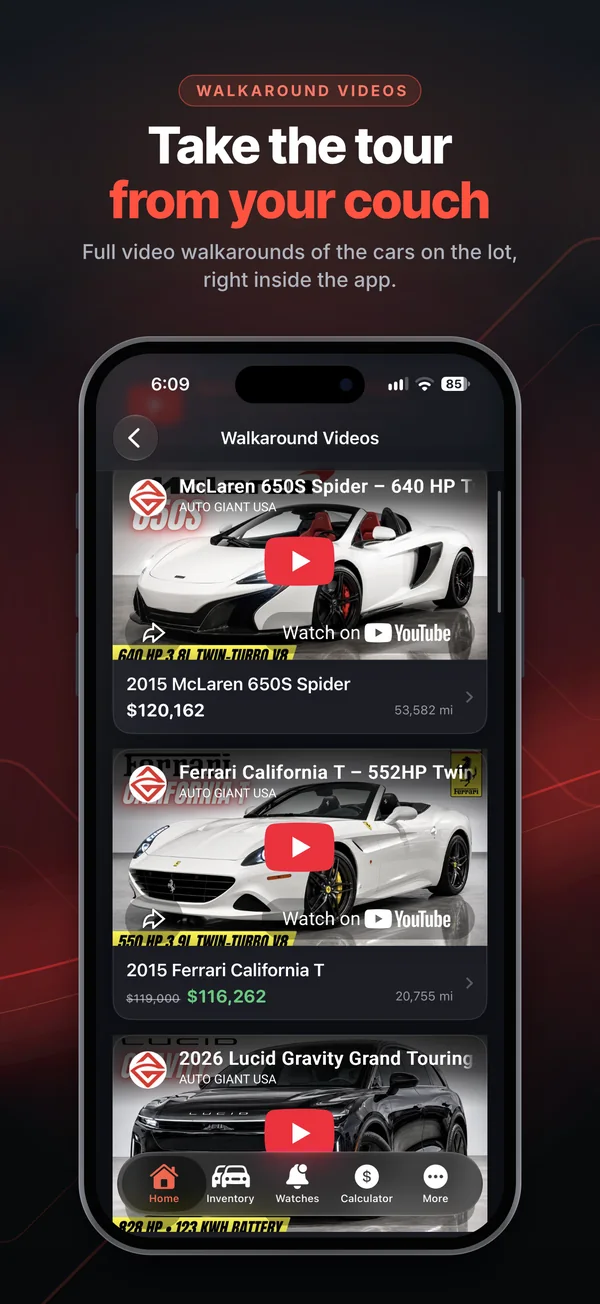
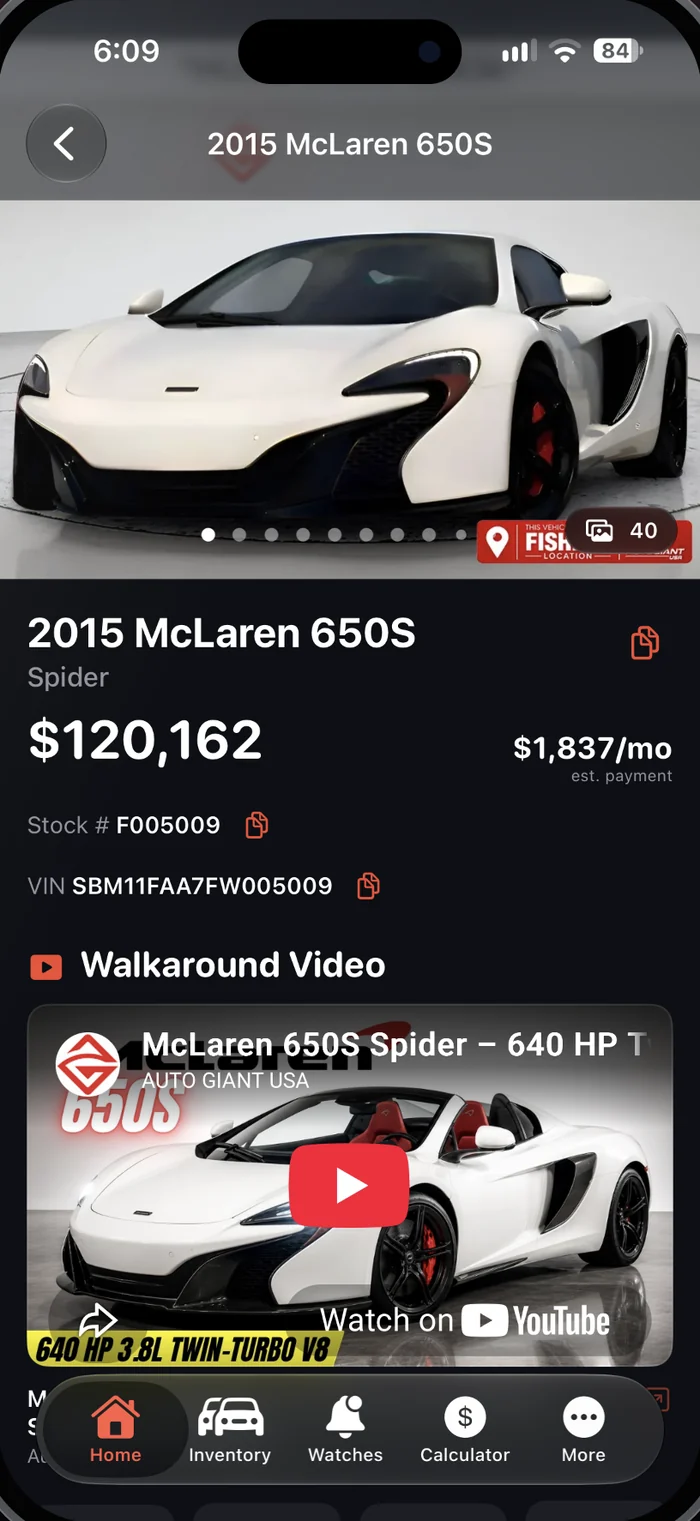
Filmed on your lot with the same shot list every time, then edited with on-screen callouts for the features and specs buyers ask about. Each video gets a custom thumbnail and plays on your listings, on YouTube and inside your app.
Try it Pick a car below, then press play. These are real walkarounds I filmed and edited for Auto Giant USA.
How a shoot works
I come to your lot and film each car with a consistent shot list, so every video matches the last. Then I handle the editing and the thumbnail, and you get a finished video ready for your listings and YouTube.
What you get
- Filmed in 60fps and stabilized for smooth motion
- On-screen callouts for key specs and features
- A custom thumbnail built to stand out
- Vertical cuts for Reels, TikTok and Shorts
Where it plays
- Your vehicle listing pages
- Your YouTube channel
- Inside your dealer app
- Social posts and ads
Your own dealer app
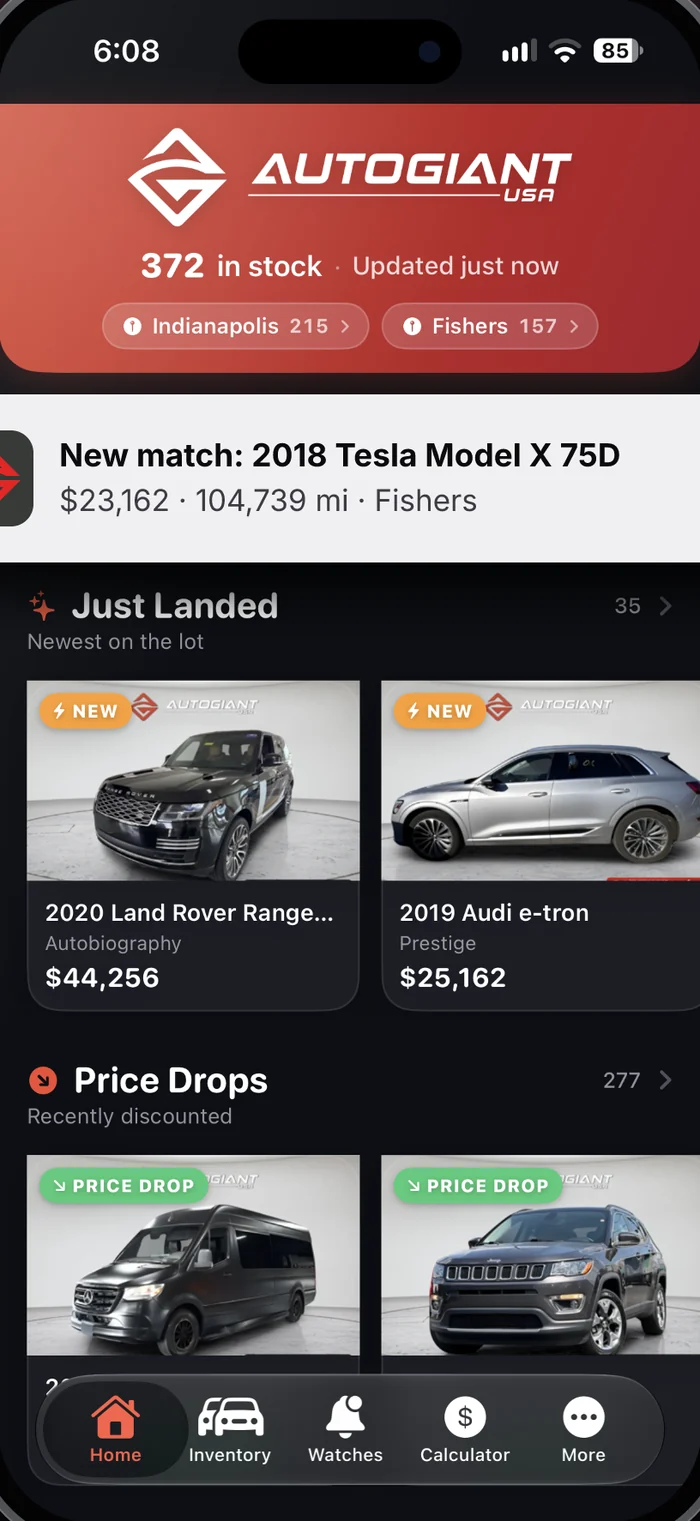
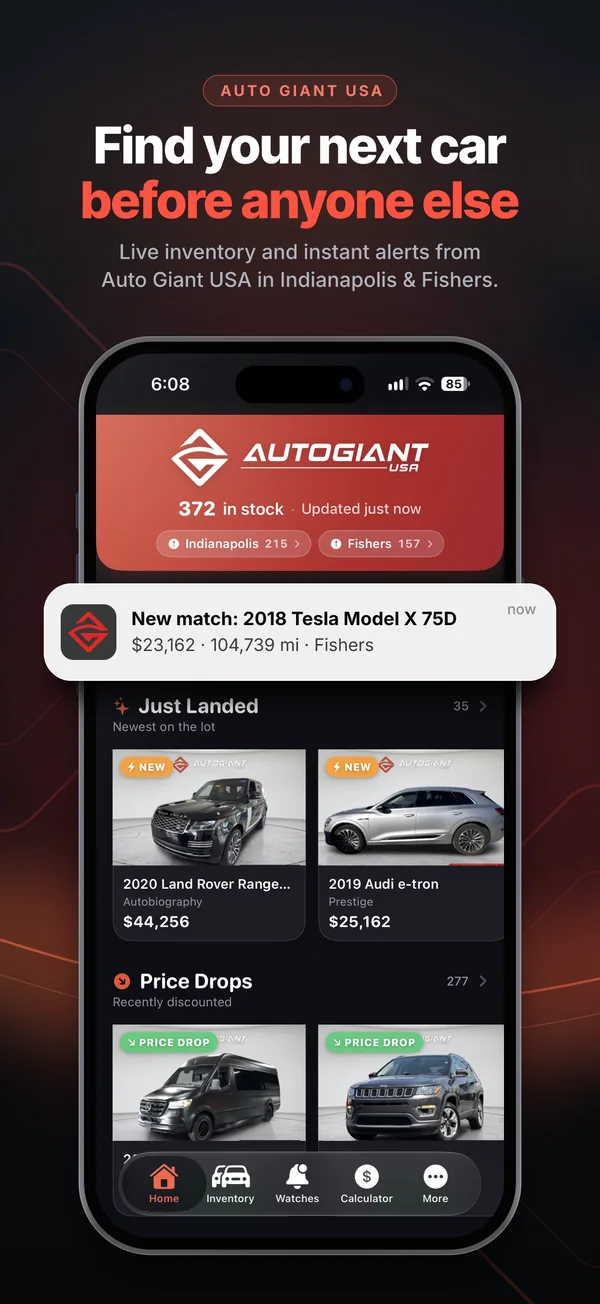
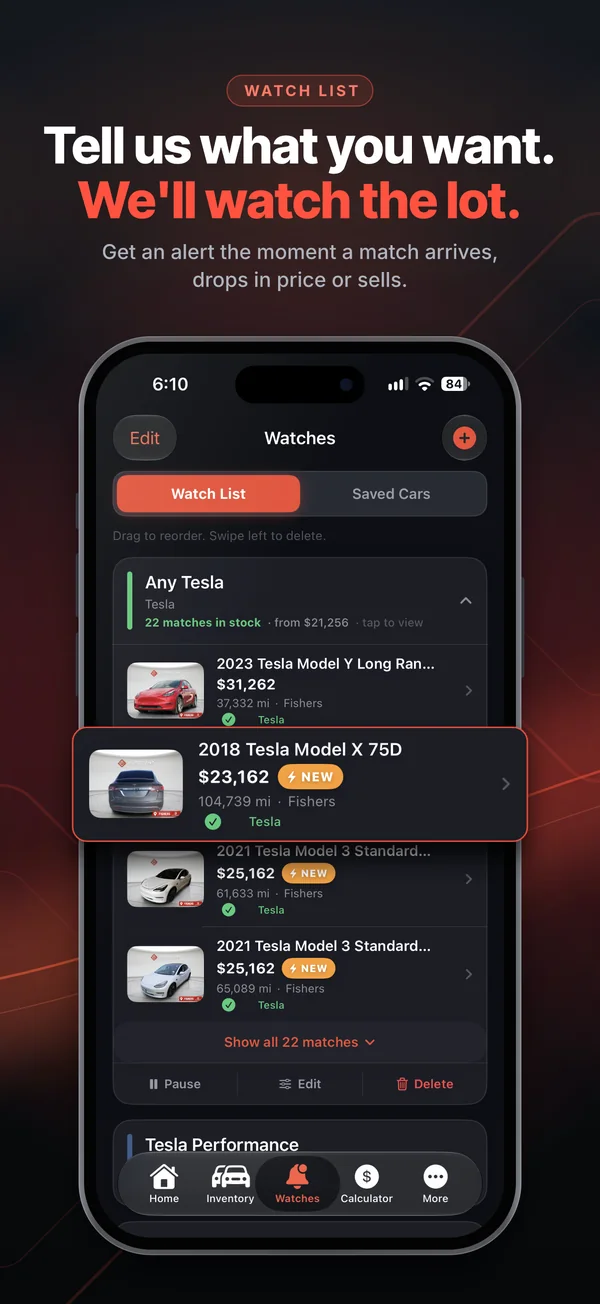
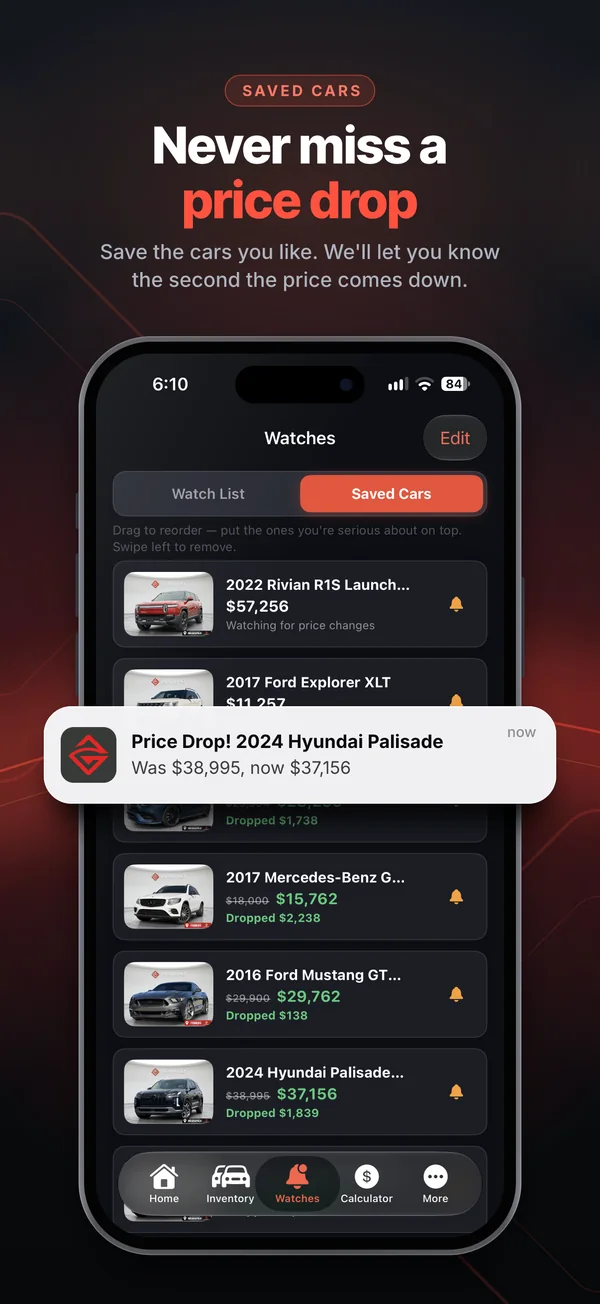
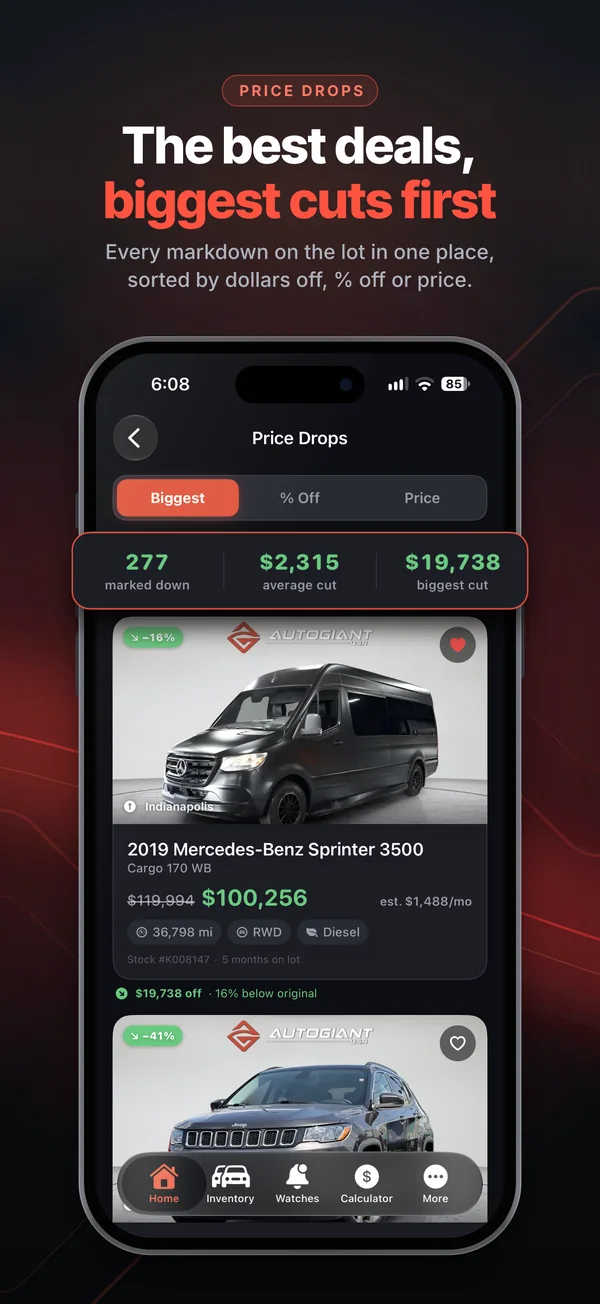
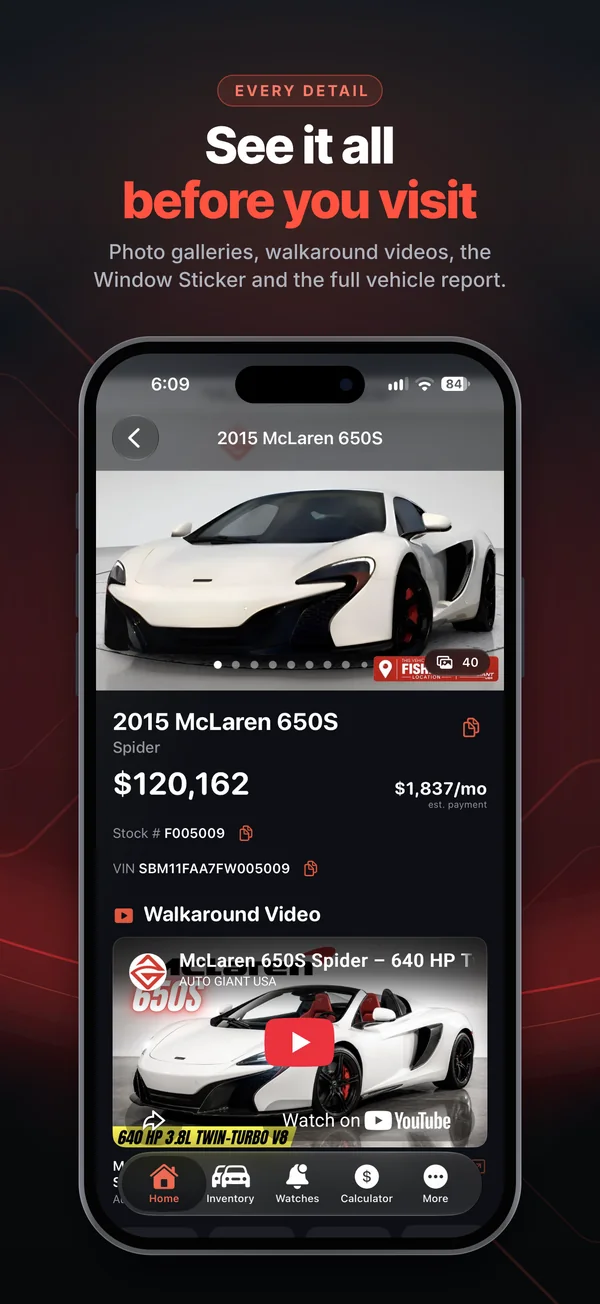
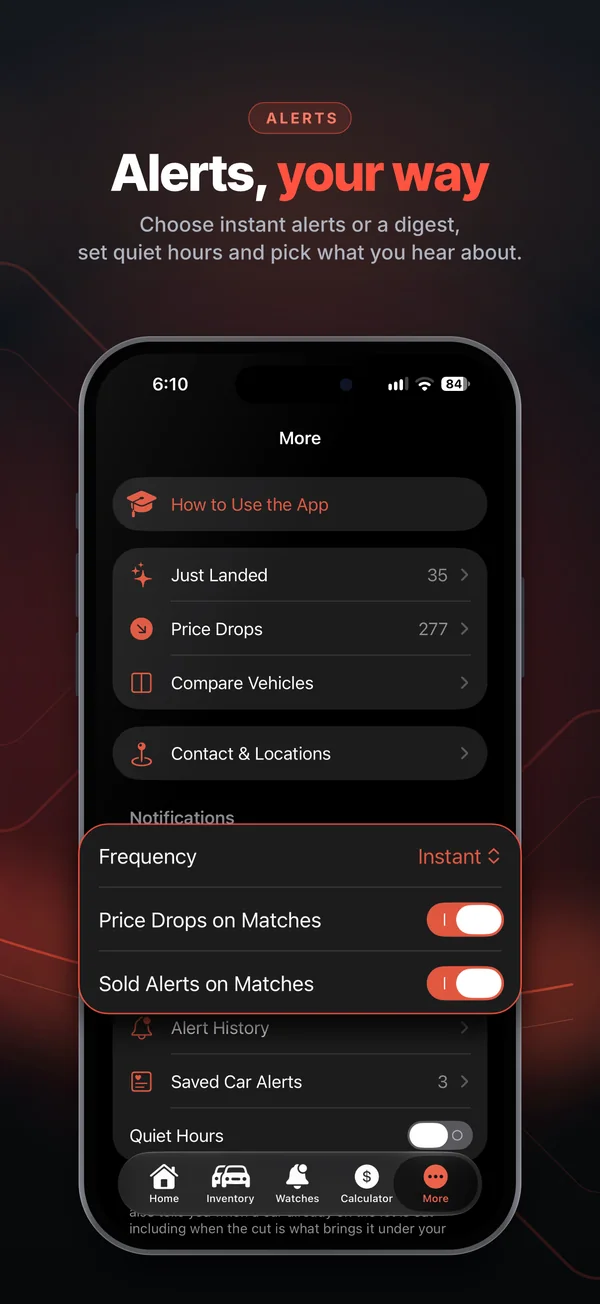
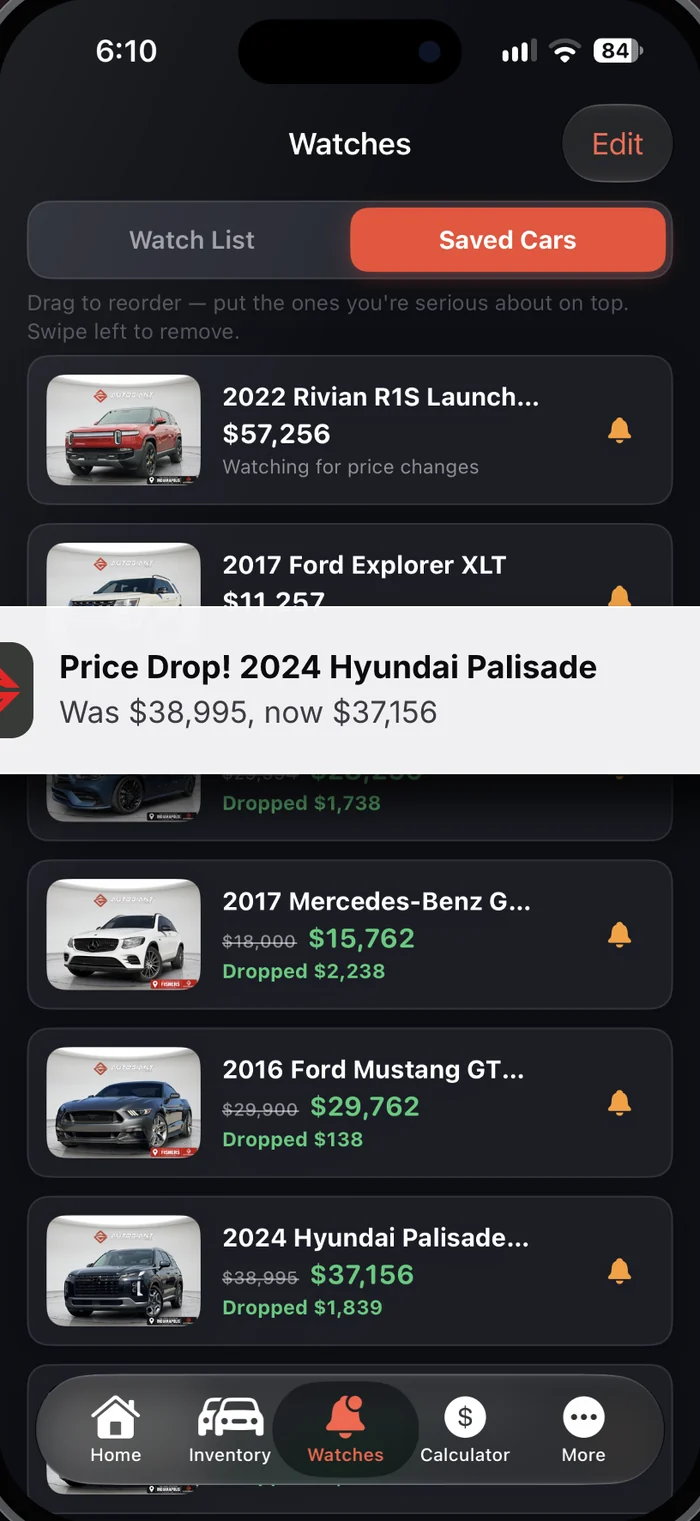
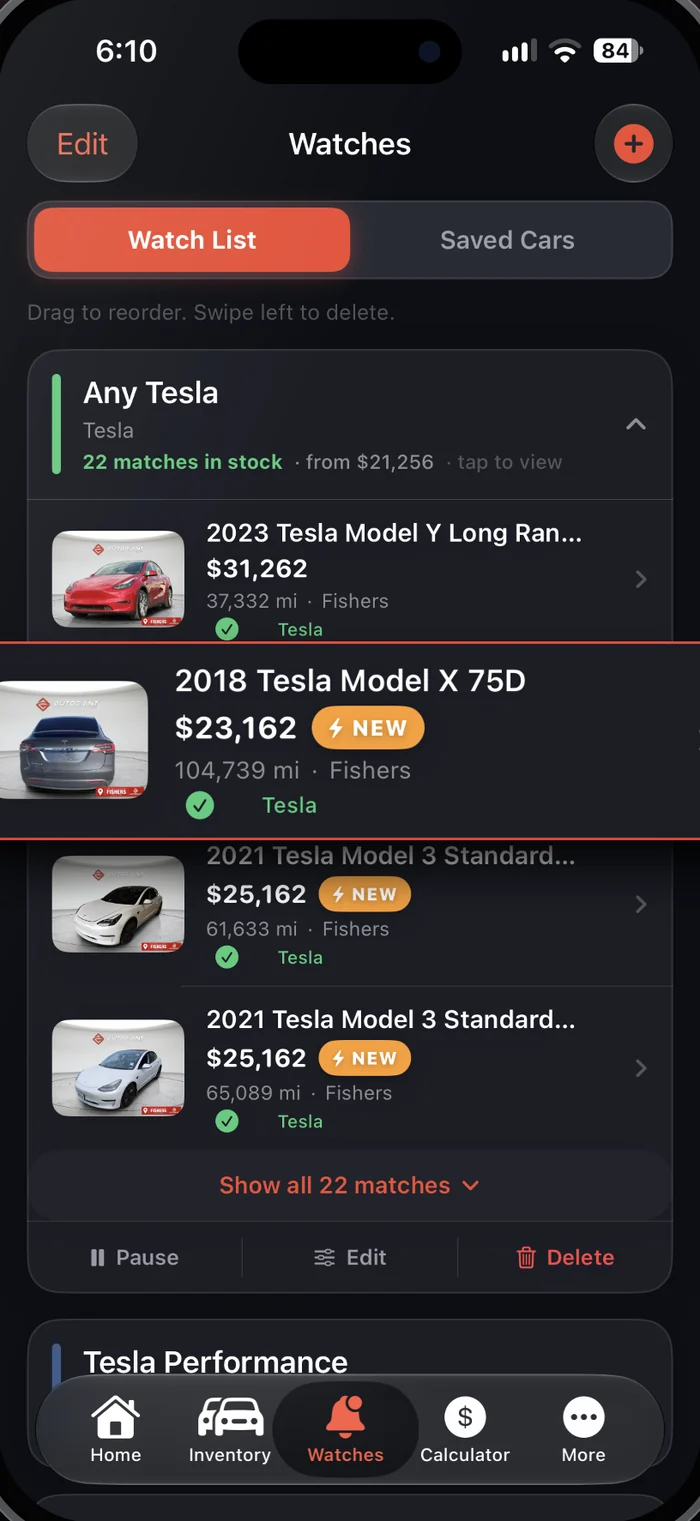
An iPhone app with your name on it and your live inventory inside. Shoppers tell it what they want, and it watches your lot for them: new matches, price drops and sold alerts, plus walkaround videos on every car that has one.
Try it Click through the screens. This is the Auto Giant USA app I designed and built.
Designed for launch
What shoppers get
- Watch lists that alert them when a match lands
- Price-drop and sold alerts on saved cars
- Photos, walkaround videos and the full details
- Alerts their way: instant or a daily digest
What you get
Shoppers who come back on their own when the right car lands. Inventory comes from your current website, so your team doesn't enter anything twice.
What it takes
- Your logo, colors and a short kickoff call
- App Store setup and launch, handled for you
- Updates and support after launch
AI hero shots
Your listing photos stay exactly as they are. For the cars you want to push, I take a real listing photo and finish it like a studio shoot, then turn it into posts that are ready to publish.
Try it Drag the yellow handle across the photo. Then switch cars and scroll down to see the posts for each platform.
Same car, same paint, same wheels and trim as the listing photo. Only the angle, lighting and backdrop change.
One hero shot, formatted for every platform
Captions are written from the listing's real specs: facts, not hype. Story and Reel covers use a short version of the same details.
How it works
Your sales manager picks the cars. I take the best listing photo of each and produce the hero shot plus posts for each platform, written from the listing's real specs.
Where it goes
- Featured Vehicles on the website
- The Featured row in the app
- Social posts and ads
- Walkaround video thumbnails
What stays the same
Your current listing photos and photo process stay as they are. Hero shots are made from photos you already have.
Featured vehicles
An idea for your current website: a Featured Vehicles section on the homepage that shows my AI hero shots, with each car linking to its listing. Your web development company would build the section into the site. Your sales manager tells me which cars should be featured, and I take care of the hero shots.
Try it Turn cars on and off or change their order in the manager on the right. It's an example of the simple login your web developer could set up for me. Then switch to the app preview. The cards open the real listings.
 Shop all cars
Featured Vehicles
Hand-picked by the Auto Giant team this week · scroll for more
Your web development company builds the section once, whichever way you choose. Nothing else on the site changes.
1 · I send the photos
I send the finished hero shots for the cars your sales manager picks, and your web developer posts them.
2 · I upload them myself
Your web developer sends me directions or access, and I post the featured cars myself. No extra work on their side.
3 · A simple login for me
Your web developer adds a small login page where I switch featured cars on and off, like the example on this page.
If you have the dealer app, its Featured row is mine to update, so that part doesn't need your web developer.
Scan to track
A QR tag on every window. A shopper scans it on the lot, the car opens in your dealer app, and one tap has them watching that car and anything similar. When a match arrives, they hear about it first.
Try it Pick a car, press Scan the tag, then tap through the phone. The QR code is real: scan it with your own phone and it opens that car's listing.
What shoppers get
No typing, no searching. They scan, tap once, and the app watches the lot for them: price drops on that car, plus a heads-up when something similar lands.
What you get
Lot visitors turn into app users you can reach again. Every scan is counted, so Shopper Insights shows which cars draw people in person.
What it takes
- A small app update so codes open the right car (universal links)
- One printed tag per car, generated from the stock number
- If the app isn't installed, the App Store opens first. Landing on the exact car after a fresh install needs one extra piece of setup, which I'd include.
Car tracker + team chat
Every car from auction to sold on one board: what stage it's in, who has it, how long it's been sitting, what it needs and what it costs. Each car has its own chat thread, and the team gets channels for everything else.
Try it Drag a car to another stage, click any card to open it, or switch to Team chat and send a message. You're posting as Mike, the general manager.
Scroll sideways to see every stage. Cars in a work stage turn amber after 4 days and red after 7.
For the team
One place to see what's next and to talk about a specific car, instead of texts that get lost. Moving a car notifies whoever owns the next stage.
For you
See where cars get stuck, how long recon takes, and what each car costs to get frontline-ready, across both lots.
How it's built
A web app on your phone or computer with an employee-only login. No App Store, and the team can add it to their home screen. It starts with the board and chat; costs, alerts and reports come next.
Shopper insights
A web dashboard built from what shoppers do in your dealer app: the cars they view, save and watch, the videos they play, and the cars they're waiting for that you don't have yet. You open it in a browser, so there's nothing to install.
Try it Change the date range and lot, switch the ranking, and hover over the chart.
Your dealer app
Every number on this dashboard comes from shoppers using your dealer app, plus the window tags that open it. Each time someone opens a car, saves it, sets a watch list or plays a walkaround, the app counts it.
Screens shown are from the Auto Giant USA app, for reference.
Shoppers keep looking but nobody calls. Usually a price, photo or description problem.
Active watch lists with zero matches on either lot. Your buy list for the next auction.
Most-viewed cars that don't have a walkaround video yet.
Sample numbers. The real dashboard reads live activity from your dealer app.
What it tracks
- Car views, saves and shares
- Watch lists and what they ask for
- Walkaround video plays
- Call, text and directions taps
- Window tag scans
What you do with it
Buy what people are waiting for, re-price cars that get looks but no calls, and feature or film the cars shoppers care about.
Privacy
Activity is counted, not tied to a shopper's name. The App Store privacy details get updated to match, and only logins you approve can open the dashboard.
Email spotlight
A short email with this week's featured cars and recent price updates, sent to shoppers who signed up. It works on its own, or alongside the alerts in your dealer app.
Try it Pick the cars, choose a subject line, and switch between desktop and phone.
How it works
The featured cars and hero shots are already made, so each email takes minutes. A standard email tool sends it and handles unsubscribes.
The catch
It only works with a list of people who opted in, and that takes time to build. Once a week is a good start. More often tends to drive unsubscribes.
With the app
Shoppers who save cars in the app already get alerts. The email reaches everyone else on your list.
Pick what you need
Every service works on its own, and they work better together. Most dealers start with videos and hero shots, then add the app.
- Walkaround videos for the cars that matter most
- AI hero shots and social posts
- Featured vehicles on your website
- Your own dealer app with watch lists and alerts
- QR tags on the windows that open it
- A weekly email spotlight

Let's talk about your dealership
I'm Alex Yasinskiy. I film the videos, build the apps and set up the tools myself, so you work with one person from the first call to launch day and after.
Based in Noblesville, Indiana. I'll reply with next steps and a rough timeline.